


Most finance teams run into the same headache. Processing a flood of paper receipts for tracking business expenses with slow, time-consuming data entry. Seen this before? It’s time to leave that way behind.
Enter AI OCR for receipt data extraction.
Put receipt data extraction on autopilot for peace of mind. Your teams are freed from the burden of having to manually enter them and reclaim more time for more important tasks.
This guide compiles the most common questions about automating receipt data extraction, with a breakdown of how it works and why many businesses are turning to Fintelite as their tool of choice.
What is receipt data extraction?
A: Receipt data extraction can be simply defined as the process of automatically pulling key information from receipts, such as the date, merchant name, line items, total amount, and more. Compared to manual data entry, this approach is faster, more accurate, and less prone to errors.
Why should automate receipt data extraction?
A: You must know how time-draining and stressful manual data entry can be, from sorting receipts, typing details into spreadsheets, and double-checking for errors. For businesses seeking efficiency, automating data extraction from transactional documents is a game-changer. It can help finance teams collect receipt data faster and ensure real-time visibility on business expenses.
What is the best way to automate the process?
A: The most effective approach is using OCR technology that specializes in transforming information documents into structured, machine-readable data. Solutions like Fintelite AI-powered OCR deliver a reliable process for businesses to automate it at scale, offering tailored data extraction that seamlessly fits into your current workflow.
How does Fintelite AI OCR help with receipt data extraction?
Answer: Fintelite’s AI-powered OCR simplifies the entire receipt data extraction process in a few key steps, which we break down below or you can simply watch the quick demo video.
- Define Rules: Fintelite adapts to your unique needs with customizable rules for data extraction and processing.
- File Upload: Upload scanned receipts or PDF files directly into the Fintelite dashboard.
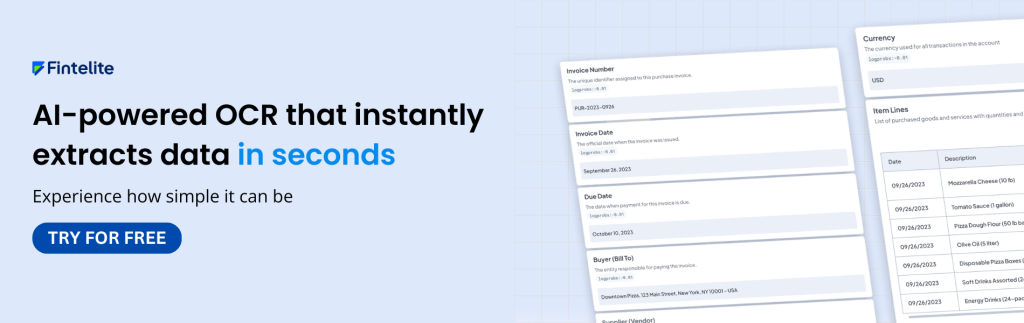
- Data Extraction: Our AI OCR scans each receipt and extracts key data fields, such as date, vendor, line items, total amount, and taxes.
- Data Structuring: Extracted data is automatically organized into structured key-value pairs in machine-readable formats.
- Data Export & Integration: Download data in a specific format you can choose or push it directly into your accounting or expense management system via API.
In what formats can I get the extracted receipt data?
A: Fintelite generates data extract in multiple formats to suit your existing workflow, such as Excel and JSON. These data formats are fully usable, easy to download with a single click, and ready to integrate into your downstream process.
Can Fintelite handle different receipt formats and languages?
A: Yes. Fintelite’s AI OCR works with receipts of all shapes, sizes, and layouts. It also provides multi-language support for making processing receipts or invoices from global vendors seamless.
Are technical skills required to extract data with Fintelite OCR?
A: No technical skills are needed. Our dashboard is intuitive, so you can upload receipts and extract data in just a few clicks. You can also create pre-defined models to customize exactly which data fields to extract with ease, completely no-code.
