

As businesses continue to grow, financial operations face increasing pressure to keep up with invoices, processing them efficiently at a greater scale. Document AI, a technology breakthrough, emerged as a solution that enables organizations to automatically capture, extract, and validate invoice data at unmatched speed. By replacing manual workflows with AI-driven automation, finance teams can reduce turnaround time and make accounts payable far more efficient than before.
In this blog, we have compiled the top frequently asked questions on how to automate invoice processing with Document AI. Read on to find clear explanations, best practices, and insights to help your team streamline accounts payable.
What is the importance of automating invoice processing in 2026?
Answer: In 2026, automating invoice processing is essential to help businesses maximize operational efficiency by reducing manual processes that drain time and resources. With Document AI, transaction data from invoices are automatically captured and processed without you having to repeatedly input them by hand for hours.
What factors to consider when automating invoice processing?
Answer: As a business, it is important to select an automation platform that aligns with your invoice processing requirements. Especially for dealing with invoices that often arrive in various formats and designs, with volumes that may increase unexpectedly.
Fintelite’s AI-powered document solution delivers scalable automation with a high accuracy rate to process any type of invoices. It ensures seamless data extraction, validation, and integration to the existing system your business relies on.
How does Fintelite AI Automation work for invoice processing?
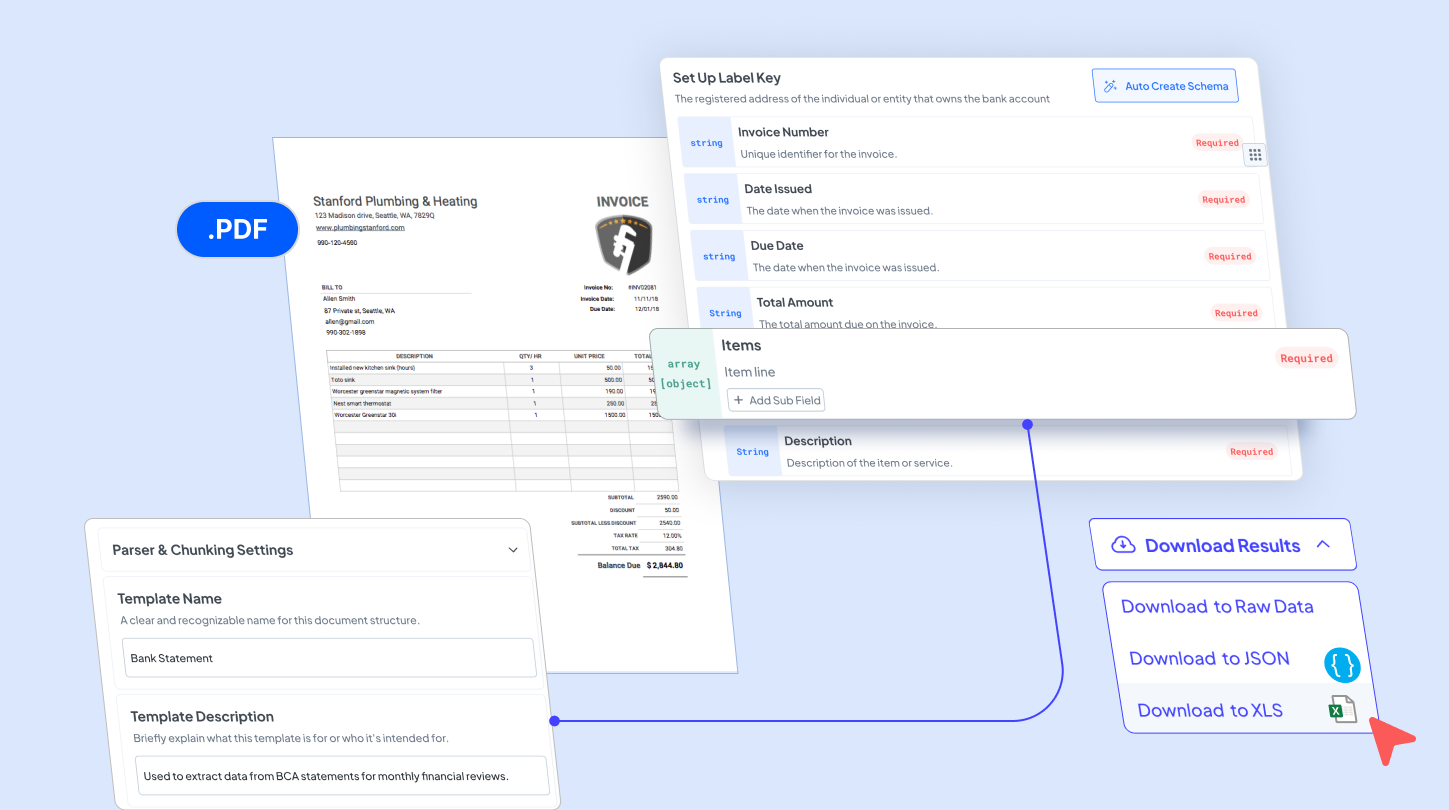
Answer: Here’s how Fintelite automates invoice processing step by step.
- Upload: Start by uploading the invoice you want to process. Fintelite accepts any format, whether it is scanned, contains handwriting, or is a clean digital PDF file.
- Extract: Fintelite AI OCR instantly detects, extracts, and organizes all essential data from invoices into a structured format.
- Validate: Then, perform two-way matching by verifying invoice data against other records, such as purchase orders..
- Export: Download invoices in Excel, JSON, or other preferred formats, or seamlessly integrate the data into your application or database system.
Does Fintelite AI support customization for specific invoice data extraction?
Answer: Yes, you can create tailored rules for the invoice data you want to extract. This includes invoice number, vendor name, invoice date, line items, tax details, and total amount. With easy and no-code customization, ensure it aligns with your specific processing standard.
Is using this automation proven to reduce turnaround time?
Answer: By automating invoice data processing, you can eliminate manual data entry that used to slow down your workflow. Moreover, Fintelite’s AI-powered recognition smartly reads and extracts data even from complex or unstructured invoices, resulting in faster accounts payable with fewer errors.
How secure is Fintelite for handling transaction data?
Answer: Fintelite is equipped with enterprise-grade data security. It ensures every piece of data is protected through robust encryption, with no data retention. Additionally, our flexible cloud deployment allowing you to choose the setup that best fits your business requirements.
Who is best suited for Fintelite’s invoice processing automation?
Answer: Businesses of all sizes that regularly deal with invoices, including finance teams, accounts payable departments, or firms can benefit from Fintelite’s invoice processing automation.
