


Does your team still manually move transaction data from PDF bank statements into Excel? In this 2025, with various innovative tools around us, processing bank statements should not be that hard and time-consuming. By using today’s automation, you can easily convert bank statements to Excel without having to spend hours. What used to be slow now only takes minutes with AI OCR automation. Furthermore, this solution frees you from the repetitive task of inputting and formatting bank statements data to Excel.
In this article, we will show you a quick guide on how to use AI OCR tools to automate bank statements to Excel conversion. Let’s get started!
Get to Know the Tool: AI OCR Automation
Optical Character Recognition (OCR) refers to a technology that enables automated document conversion into machine-readable text. For bank statements, you can use Fintelite OCR, which has been advanced by AI to efficiently extract data from complex, table-based documents. Its OCR has improved capability and accuracy to flexibly learn bank statements with different document layouts and formats. From account holder details to transaction records, Fintelite extracts it all automatically, resulting in analysis-ready Excel datasets in minutes.
The Benefits of Using AI OCR for Conversion
90% Touchless Process
Converting bank statements using AI-powered OCR takes just a few clicks. Simply upload your bank statement, and the system will parse and structure the data into Excel instantly. In other words, the process is almost fully automated: upload, wait for minutes, and download the results.
Fewer Risks of Error
Manual data entry often leads to mistakes that can cause costly discrepancies. AI OCR significantly reduces human error by automating the entire extraction and structuring process. The result is cleaner and more accurate for reconciliation, reporting, or financial decision-making.
Easy Customization and Export
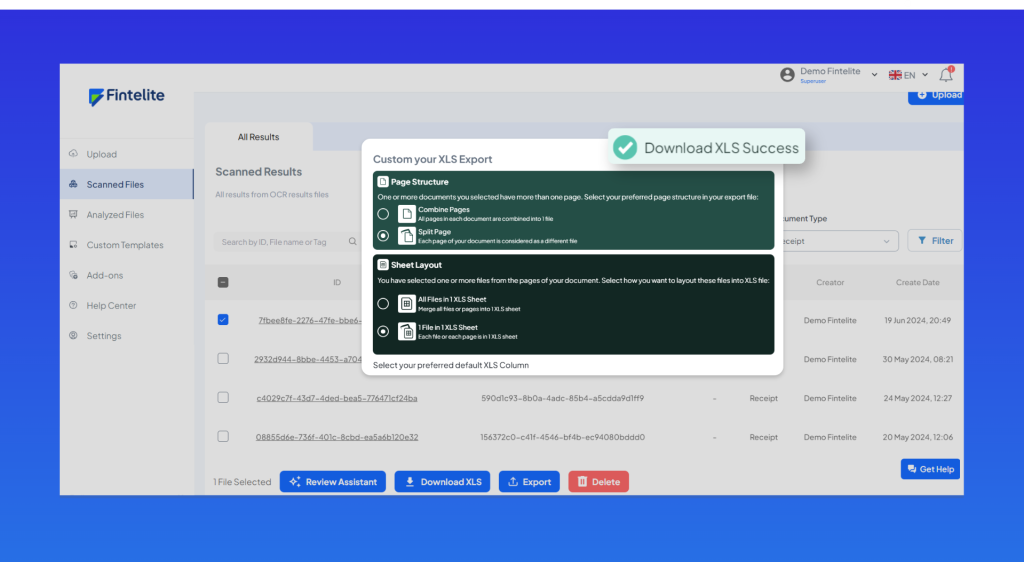
Want to tailor how the XLS result is structured? With the right AI OCR, you can customize the Excel file to your specific needs. Choose the columns of data you want and export it in the structure you prefer. This flexibility ensures the data works seamlessly with your workflow or your existing format.
A Guide to Convert Bank Statements into Excel in Minutes
If you are looking for automation to process bank statements on a large scale in your business, Fintelite is the right solution. Fintelite’s intelligent OCR is built for maximum efficiency and greater accuracy. Powered by AI, Fintelite adapts to any bank statement format, making it seamless to use. Upload, process, and download, that is all it takes to convert your PDF bank statements into an XLS file.
Step 1: Select Menu
Register for free and test with your sample bank statements. As you enter the dashboard, choose ‘Bank Statements’ as the document type. You can also easily customize which specific data to extract first.

Step 2: Document Upload
Simply drag and drop your document into the upload box, then click ‘Process’ to begin. Our system supports bank statements in all formats, including scanned documents and original digital PDFs.
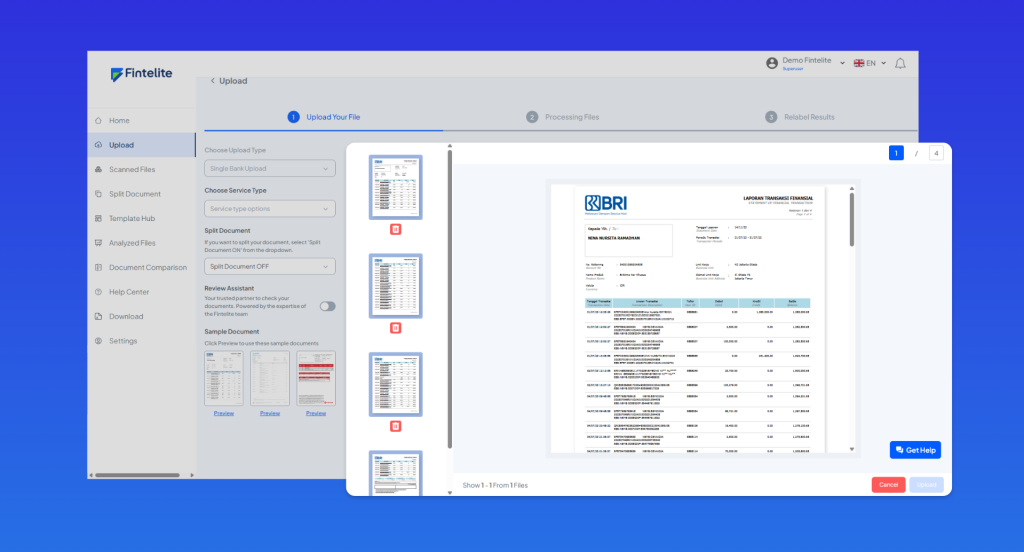
Step 3: Data Extraction
Fintelite automatically scans and extracts all the information contained in bank statements, from account holder details to transaction history, and converts it into clean, structured datasets within minutes.

Step 4: Export to XLS
Once the process is complete, review the extracted data and download it in XLS format when ready. Adjust the columns and sheets of the results to suit your specific needs. Click the download button to save the file instantly to your device.
People Also Asked
After exploring the step-by-step process, you may still have a few questions left. Feel free to contact our team directly to learn more about how Fintelite AI-powered OCR can streamline your bank statement processing.
1. Can Fintelite handle bank statements from different banks?
Yes, Fintelite is built to process bank statements from a wide range of banks and financial institutions. The system intelligently recognizes various formats and layouts, ensuring accurate data extraction and consistent Excel outputs across different banks.
2. Does it require technical skills to use Fintelite AI OCR?
No, Fintelite is designed to be simple and user-friendly. You only need to upload the bank statement, and the system will automatically extract and convert the data into a structured Excel file. There is no coding, technical setup, or specialized expertise required, making it accessible for finance teams, analysts, and business users alike.
