
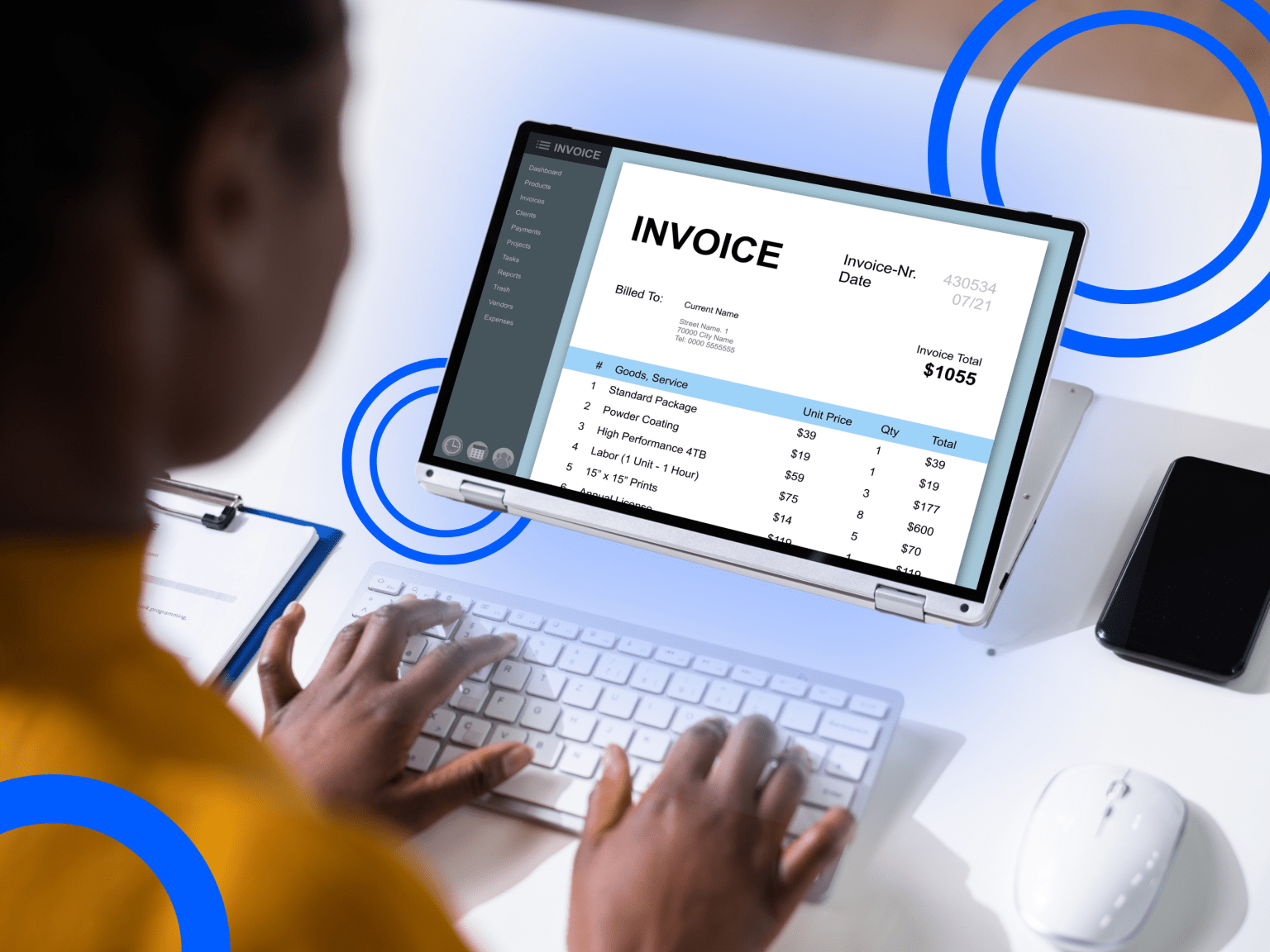

In accounting and finance, paperwork never really stops. Invoices to process, receipts to document, statements to reconcile, reports to close out every month. Processing it all manually often takes longer than it should and is prone to costly mistakes. Over time, that puts your team’s scalability at risk as business needs continue to grow.
The good news: most of this work follows the same steps every time, which makes it a perfect candidate for accounting workflow automation. In this guide, we’ll walk through five accounting workflows worth automating first, what part of each to hand off to software, and the benefits you can expect.
How to Decide Which Accounting Workflow to Automate First
A more effective approach is to weigh each workflow by impact (how much time, money, or risk it currently costs you) against effort (how complex the process is and how much setup it requires).
- High impact, low effort: These are quick to implement, produce visible results early, and help build organizational buy-in for automating the rest.
- High impact, high effort: Worth planning for, but typically requires a standardized process before automation can be applied effectively.
- Low impact: It can be deprioritized for now, regardless of how simple the setup may be.
To evaluate your own workflows, consider three questions for each:
- How many hours does it consume weekly?
- How error-prone is the process?
- How many people or systems are involved in a single handoff?
The workflow with the highest time and error burden, paired with the lowest complexity, is the best place to begin.
1. Accounts Payable & Invoice Processing
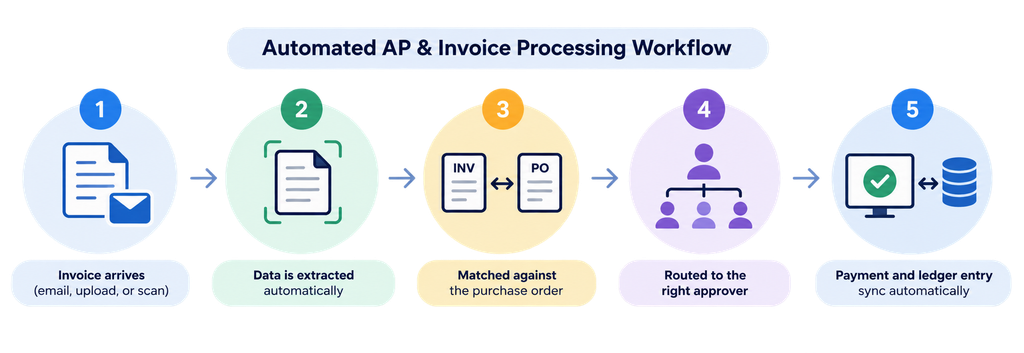
Invoices come in through email, PDF, or mail, and someone has to manually enter the data, match it to a purchase order, and track down the right approver. Miss a step and you risk duplicate payments, late fees, or a strained vendor relationship. With accounting workflow automation, invoice data is captured automatically, matched against purchase orders, with payment and ledger entries syncing once approved. The result is faster approvals, fewer payment errors, and a clear audit trail.
2. Expense Reporting & Approvals
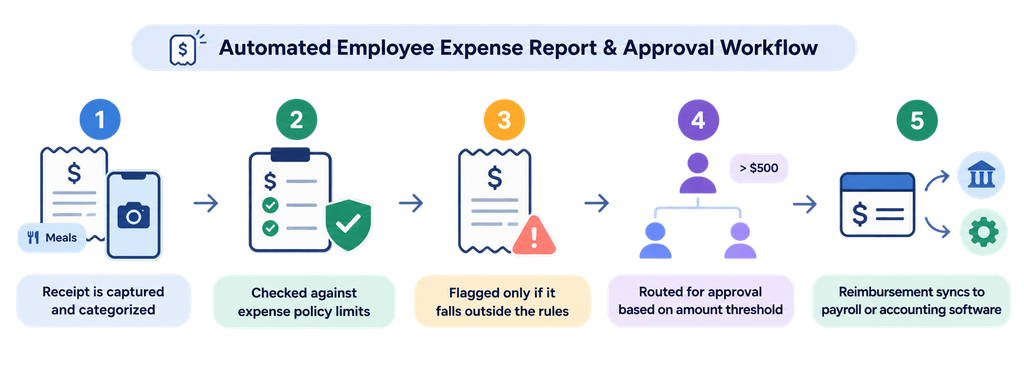
Receipts come in inconsistently, and approvers end up manually checking each one against policy before signing off, which can delay reimbursement for weeks. Automation captures and categorizes receipt data automatically, checks it against policy limits, and routes approvals based on amount thresholds. Reimbursement then syncs directly to payroll or accounting software. Teams that automate this see faster reimbursements, fewer policy violations, and less manual efforts.
3. Bank Transaction Reconciliation
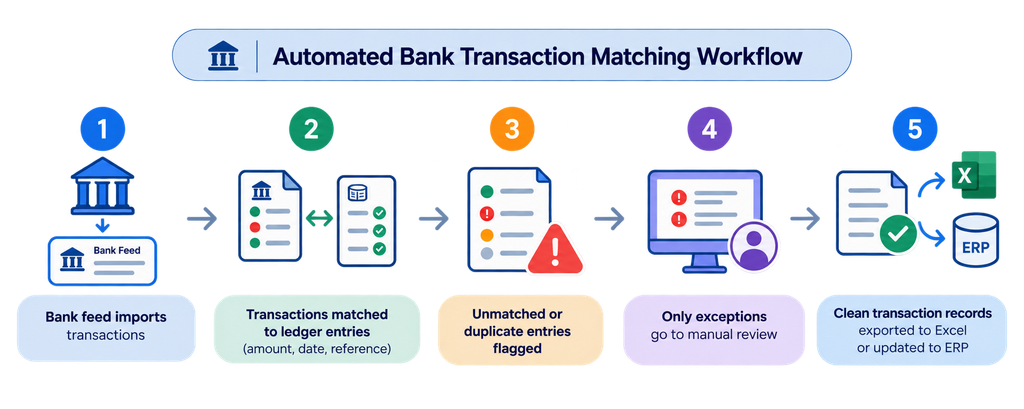
Matching bank statements to the general ledger by hand is tedious and error-prone, especially at high volume, and discrepancies often surface too late to trace easily. Automated reconciliation pulls bank feeds directly and matches transactions to ledger entries, with human-in-the-loop review for any flagged mismatches. What used to take days can wrap up in hours, with discrepancies caught earlier and less time spent checking every line manually.
4. Procurement & Purchase Order Compliance
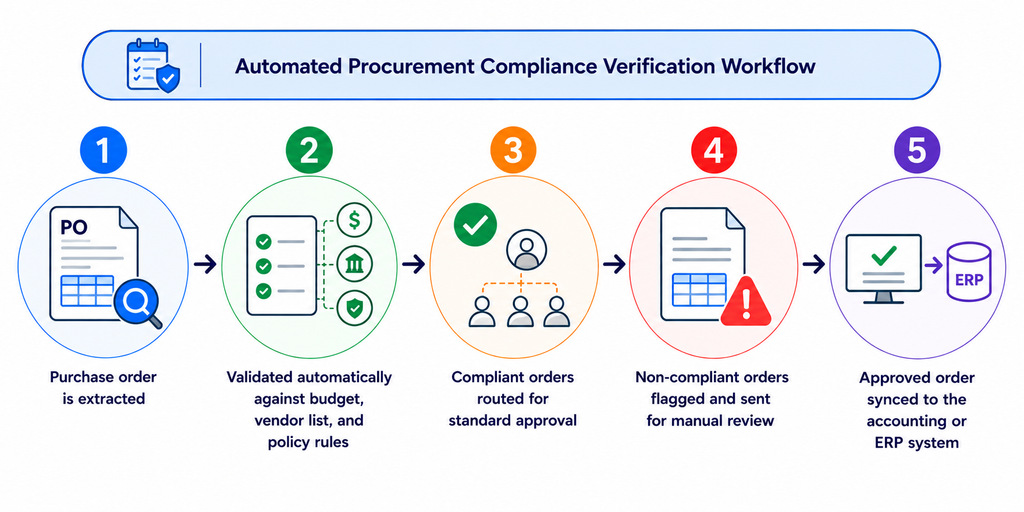
Every purchase order needs checking against budget limits, approved vendor lists, and policy before it goes out. With automation, each purchase order is validated against your defined rules the moment it’s submitted via email, with anything outside budget or policy flagged for review instead of slipping through. Compliant orders move forward on their own, exceptions route to the right person first. The benefits are faster PO turnaround and significantly less off-policy spend.
5. Supplier Onboarding
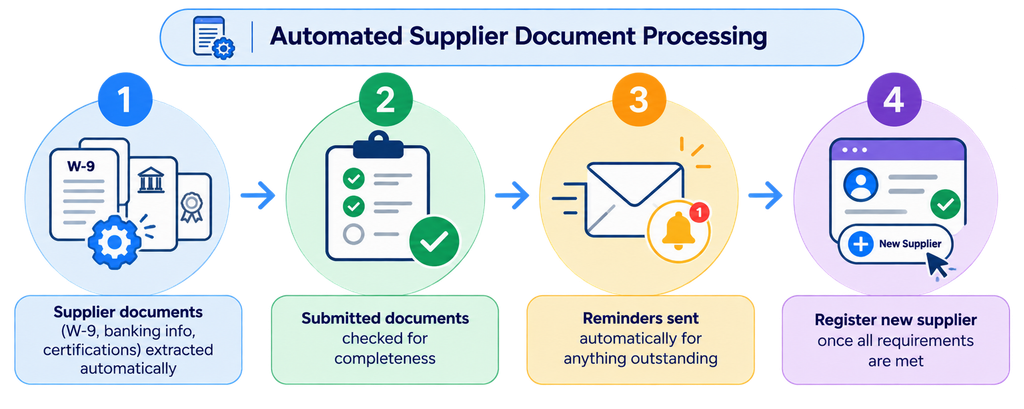
Onboarding a new supplier means collecting tax forms, banking details, compliance documents, and contracts. Automation requests the required documents automatically, checks them for completeness, and follows up on anything outstanding without manual chasing. Once everything is verified, the supplier record activates and the vendor is ready to transact. Teams can start purchasing faster and reduce the need for manual follow-up to get every new supplier set up.
How to Automate These Workflows with Fintelite
Fintelite offers a document workflow automation platform that lets you connect and orchestrate document AI capabilities around your specific accounting processes. Instead of building automation from scratch or stitching together multiple point tools, you can configure the pieces you actually need:
- Data extraction: Pull structured data from invoices, receipts, statements, and supplier documents automatically
- Field validation: Check specific field or line item against your defined rules
- Cross-document matching: Automate 2-way or 3-way matching between invoices, purchase orders, and more documents as you require
- Routing Automation: Move documents automatically based on validation results, sending clean records straight to approval and escalating flagged data that needs manual review
- ERP Integration: Post validated data with direct linking to your accounting or ERP system
And if you’d rather not configure it yourself, that’s an option too. Our team can handle the entire setup, from initial configuration to a fully running workflow, so you can start using it immediately without adding your team’s workload.
Ready to automate your accounting document workflow? Try for Free
FAQs: Everything You Need to Know About Accounting Workflow Automation
Accounting workflow automation is the use of software to handle repeatable accounting tasks, such as data entry, document matching, approvals, and reporting, by connecting them into a single automated process from start to finish.
Start with the workflow that has the highest impact and the lowest effort to set up, usually accounts payable or expense approvals. These both involve high transaction volume, clear rules, and immediate time savings once automated.
No. Automation only handles the repetitive tasks, so your team can focus on the decision, and higher-value work like analysis and strategy.
Automating a process before it’s standardized. If the underlying steps are inconsistent or poorly defined, automation simply enforces that inconsistency at a faster pace rather than resolving it.
Many accounting platforms already include basic automation features, such as bank feed matching or recurring invoices. But if you want a complete, end-to-end workflow, you’ll typically need a dedicated automation platform like Fintelite built for that, rather than relying on scattered features across separate tools.
