
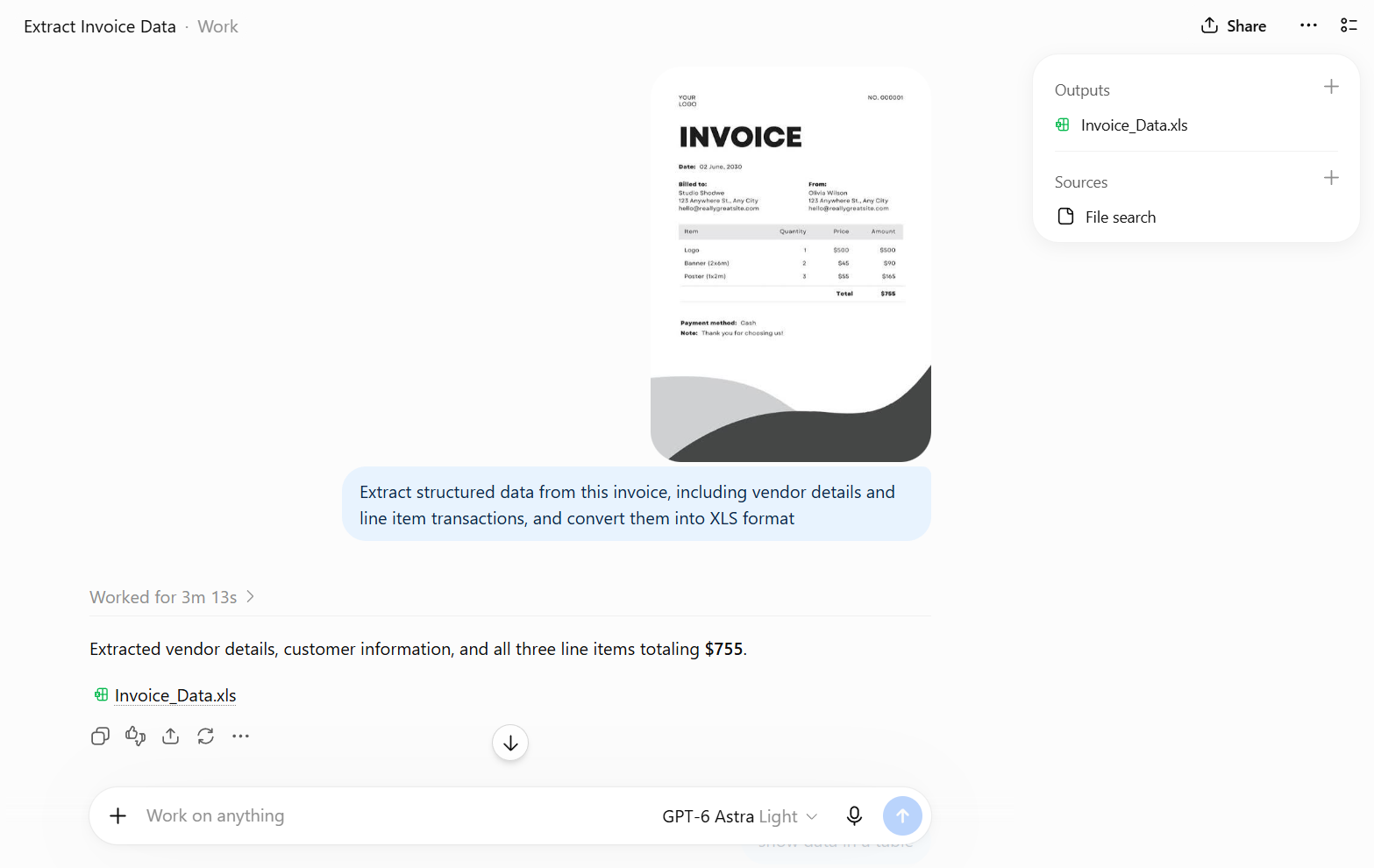

Among all the AI tools out there, ChatGPT has stayed the go-to choice for most people over the past few years. And as its capabilities have expanded, so have the tasks it can handle. One of the more interesting shifts: what used to take custom software and a dedicated dev team can now often be handled with a few well-crafted prompts.
That’s opened the door for a lot of routine office work to be easily automated, and invoice workflow is the clearest example. It’s repetitive, rule-based work, and mostly about processing transaction information. In this guide, you’ll learn how to turn ChatGPT’s document capabilities into a practical invoice processing workflow, from simple data extraction to nearly end-to-end automation.
What ChatGPT Can and Can’t Do for Invoice Processing
Before diving into methods, it helps to understand where ChatGPT fits in the invoice processing workflow. ChatGPT is capable of handling much of the reading and reasoning involved in invoice processing, but it is not a complete, out-of-the-box solution for enterprise-scale accounts payable. Knowing where the line sits will help you choose the right method and avoid relying on it for tasks it isn’t suited for.
| ChatGPT Can | ChatGPT Can’t (Without Additional Tools) |
| Extract vendor name, invoice number, dates, and line items from a PDF or image | Process hundreds of invoices without human oversight |
| Categorize expenses by type or department | Integrate directly with accounting software (QuickBooks, Xero, SAP) |
| Convert unstructured invoice data into structured formats like JSON or CSV | Guarantee consistent accuracy on every invoice, especially poor scans or unusual formats |
| Compare a single invoice against a purchase order you provide | Automatically match invoices against a live database of open purchase orders |
| Draft summaries, payment reminders, or approval requests | Store data persistently or maintain a searchable invoice history on its own |
| Flag obvious discrepancies when explicitly asked to check for them | Detect fraud or anomalies reliably without defined validation rules |
These limitations don’t mean ChatGPT can only be used for one-off invoice tasks. With the OpenAI API and additional integrations, many of these capabilities can be built into a more complete workflow, although doing so requires additional development and maintenance.
For teams with the engineering resources to build a custom workflow, that flexibility can be valuable. But if you want to automate invoice processing without building the surrounding infrastructure yourself, a purpose-built document workflow platform like Fintelite can be a more practical alternative. Fintelite brings document extraction, validation, cross-document checks, and workflow routing into an easy drag-and-drop builder you can configure to your needs.
Method 1: Invoice Parsing Using ChatGPT Directly
This is the fastest way to start. It suits best if you’re processing invoices occasionally, a handful a week, not hundreds a day.
Step 1: Upload the invoice
Drop or attach the PDF or image straight into a ChatGPT conversation.
Step 2: Use a structured extraction prompt
Vague prompts (“read this invoice”) give inconsistent output. Be specific about the format you want back, define what fields you need in detail.
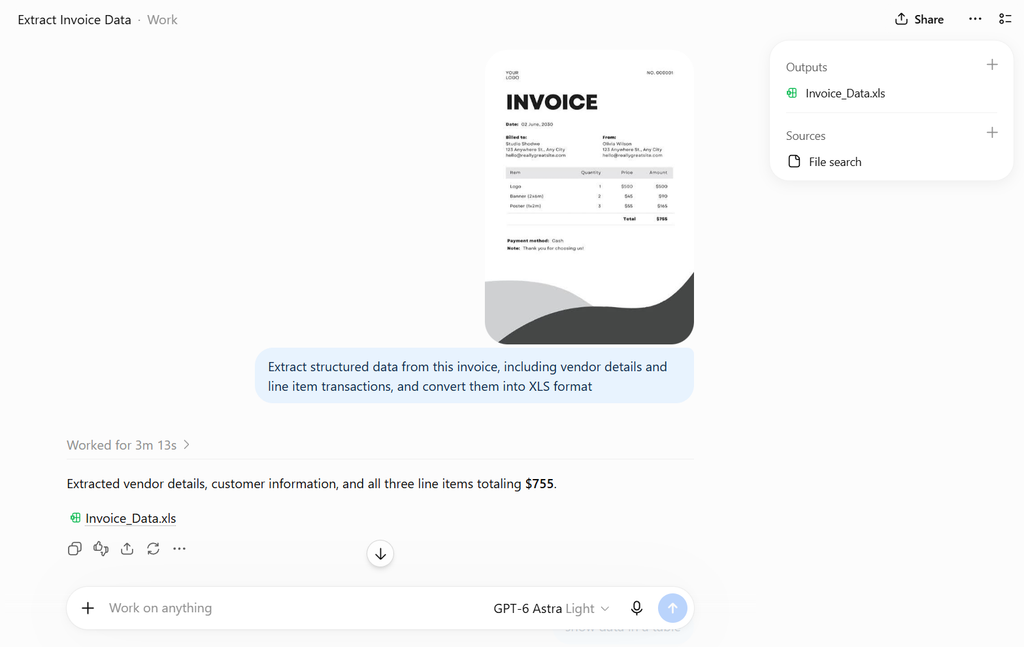
Step 3: Validate the output
Cross-check against the original. ChatGPT can misread totals on messy scans or unusual layouts, especially with multi-currency or handwritten invoices.
Step 4: Move it downstream
Paste the JSON into a spreadsheet, or ask ChatGPT to reformat it as a CSV row you can copy straight into Sheets or Excel.
| Every invoice still needs to be uploaded and processed manually. That may work for occasional invoices, but as volume grows, the repetitive steps become another manual task. |
Method 2: Automated Invoice Intake & Reconciliation on Schedule
In the first method you still need to open ChatGPT and run the process yourself every time. This second method reduces that manual effort by having ChatGPT check for and process invoices on its own, using Connected Apps to link your inbox and Scheduled Tasks to run checks on a set cadence.
Step 1: Connect your app
Go to Settings > Apps and link Gmail to your ChatGPT account.
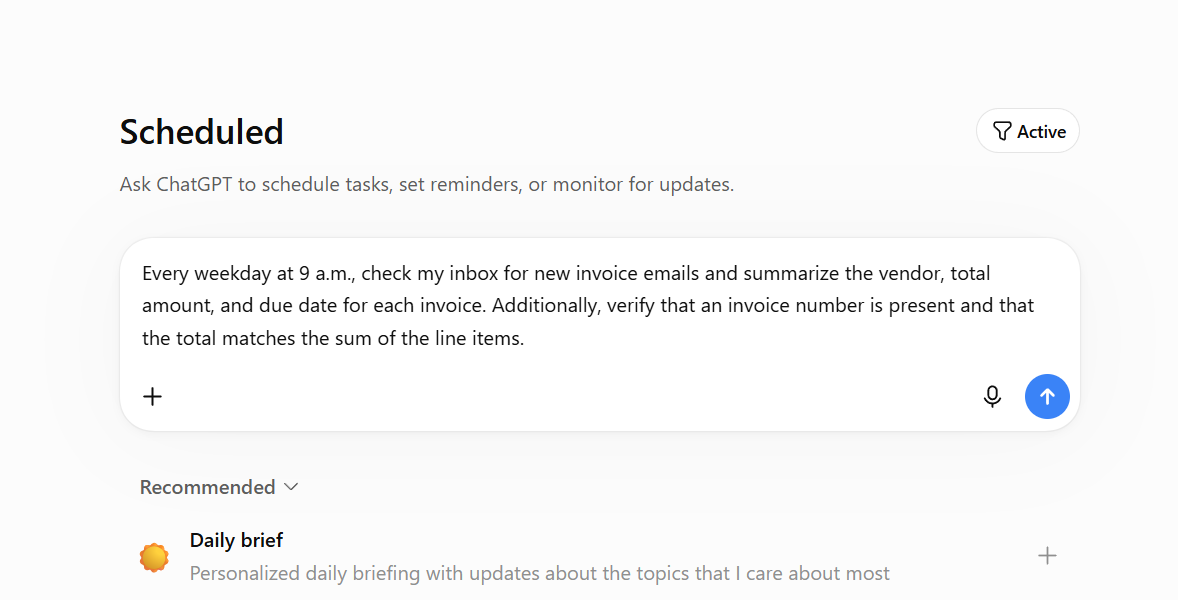
Step 2: Set up the task
Create a scheduled or event-triggered task with a clear instruction, for example: “Every weekday at 9 a.m., check my inbox for new invoice emails and summarize the vendor, total amount, and due date for each invoice. Additionally, verify that an invoice number is present and that the total matches the sum of the line items”
Step 3: Let ChatGPT check the connected app
On the schedule you set, ChatGPT checks the connected inbox or system for new invoices matching your instruction.
Step 4: Task runs and extracts data
When a matching invoice is found, ChatGPT processes it according to your instructions, extracting relevant fields such as vendor name, amount, and due date, and organizing them into a consistent format.
Step 5: Review the output
The results are delivered as a summary or notification, ready for you to review, approve, or forward downstream to your accounting system or team.
| This approach works best with specific, well-defined prompts and periodic review of active tasks, since they can pause if left inactive. Keep in mind Scheduled Tasks can’t react the instant an invoice arrives. For higher-volume or time-sensitive processing, a dedicated no-code pipeline or custom API integration is more reliable. |
Method 3: End-to-End Invoice Workflow Automation With ChatGPT API + Python
If you want invoice processing to run as part of your existing finance operations, the next step is to use the OpenAI API. Rather than working inside ChatGPT’s interface, you build a script or service that calls the API directly. This gives you more control over where invoices come from, how they are processed, what happens when an exception occurs, and where the final data goes.
Step 1: Set up the environment
Install the OpenAI Python library and generate an API key from your OpenAI account. This gives your code direct access to GPT-4o’s vision and language capabilities.
Step 2: Build the extraction pipeline
Write a script that reads incoming invoices (from a folder, an email inbox via IMAP, or a cloud storage bucket) and sends each one to the API with a structured extraction prompt, the same JSON schema used in the earlier methods.
Step 3: Parse and validate the response
Have the script parse the returned JSON, check for missing or inconsistent fields, and flag anything that fails validation rather than passing it downstream automatically.
Step 4: Push to your system of record
Send validated data into downstream processing. Depending on your setup, this can be creating an invoice record in an ERP, updating an accounting platform, storing the structured data in a database, or triggering another internal process.
Step 5: Log and monitor
Store a record of every processed invoice, including flagged exceptions, so the pipeline can be audited and refined over time.
| At this stage, the API gives you much more flexibility, but that flexibility comes with additional development and maintenance. Your team will need to build and maintain the integrations, workflow logic, and exception handling around the model. |
Security & Compliance Considerations
Invoices contain sensitive data, vendor details, bank information, and spending pattern, so how it’s handled matters as much as how accurately it’s extracted. Content uploaded into ChatGPT’s consumer interface may be used to improve the model unless data controls are adjusted. For sensitive invoices, the API (which doesn’t use data for training by default) or an enterprise plan is the safer choice. Access should also be limited to the people and systems that actually need it once invoices flow through any connected app or pipeline.
Frequently Asked Questions
For clean, digital invoices, accuracy is generally high. For scanned or handwritten invoices, unusual layouts, or poor image quality, errors are more likely, so a validation step is recommended regardless of volume.
Yes, GPT-4o’s vision capabilities can process scanned images, though handwritten or low-quality scans are more error-prone than clean digital PDFs and should be double-checked.
Manual prompting (Method 1) has no additional cost beyond a ChatGPT subscription. For light automation, Connected Apps and Scheduled Tasks are included in paid plans. No-code tools like Zapier add a separate cost once you move to a full pipeline.
Not directly. Integration requires connecting ChatGPT to these platforms through a no-code tool like Zapier or Make, or building a custom integration using the OpenAI API.
For occasional, low-sensitivity use, the standard interface is generally fine. For confidential vendor terms or payment credentials, using the API or an enterprise plan is safer, since these don’t use submitted data for model training by default.
