
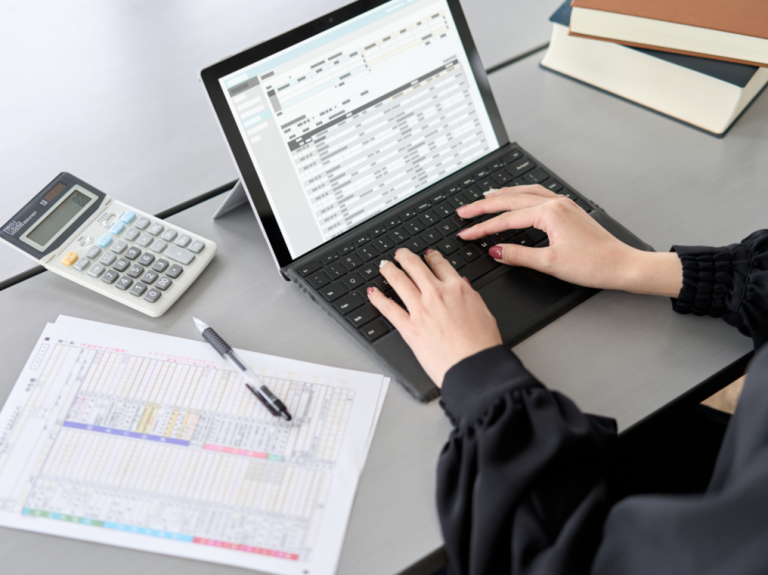

Transactions in bank statements are typically presented in a chronological list of history sorted by date. While this format is useful for tracking activity, it often requires additional effort to organize transactions based on categories such as operational expenses, revenue, payroll, or transfers. The most straightforward way to do this is by manually entering and arranging the data into a spreadsheet. This may work for the first few pages, but when you handle a large volume of transactions, it can quickly become extremely tedious and time-consuming.
The question then becomes: is there a faster way to get this done?
The answer is automated bank statement data extraction and categorization. At Fintelite, we make this process easily done in just a few clicks. With AI-powered technology, transaction data can be captured, structured, and automatically grouped into relevant categories without any manual work.
In this blog, let’s see how Fintelite makes it just minutes of work.
Why It’s Important for Bank Statement Processing
Bank statements often contain hundreds or thousands of entries per month. While manual categorization often takes a longer time and delays reporting, automating it can be far more efficient. Automated transaction categorization from bank statements is the use of technology to analyze raw bank transaction data and automatically assign each entry to a predefined financial category. With all transaction data neatly categorized in minutes, gain immediate visibility into cash flow patterns that’s important for data-driven financial decisions.
Challenges in Automating Bank Transaction Categorization
Bank statement data may appear structured, but in practice, it often contains inconsistencies and ambiguities that complicate automation.
1. Inconsistent description
Bank transaction descriptions are rarely standardized. For example, a single vendor might be listed differently across transactions, making accurate classification difficult without advanced normalization techniques.
2. Limited context in raw bank data
Bank statements typically include only basic fields such as date, description, amount, and balance. A transaction labeled with a generic payment processor name may not clearly indicate its relevancy to a particular category.
3. Scalability issues
Organizations processing thousands of transactions per month require systems that can maintain both speed and accuracy at scale. As transaction volume increases, even small classification errors can affect accuracy in the financial reporting.
4. Document Format Variations
Bank statements may be delivered in different formats depending on the issuing bank, each with its own structural variations. Some tools that rely heavily on fixed templates often struggle to comprehend new or unfamiliar table structures, resulting in inconsistent accuracy.
Nevertheless, these challenges can be effectively addressed with AI-powered automation like Fintelite. Unlike basic tools, our automation provides advanced capabilities and accuracy needed to seamlessly handle transaction normalization, layout variations, and data processing at scale.
The Easy Way to Automate It with Fintelite AI
Fintelite’s bank statement analyzer is a powerful automation solution that enables seamless transaction categorization using AI-driven data extraction and field tagging. Powered by advanced capabilities, it ensures exceptional accuracy, speed, and scalability across diverse bank statement formats.
With Fintelite, automating transaction categorization from bank statements goes through a few simple steps.
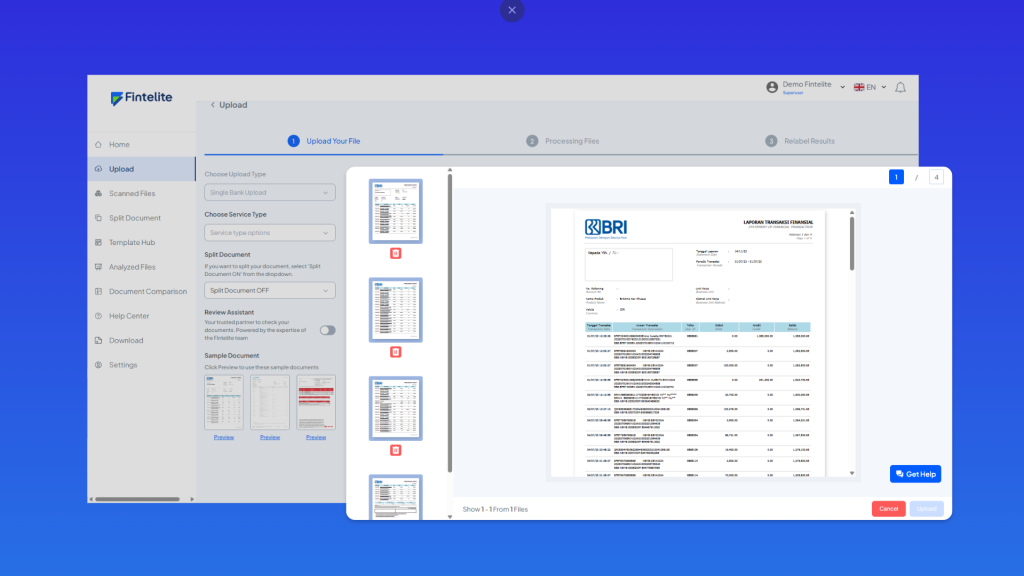
Step 1: Upload Document
Start by uploading your bank statements. Fintelite accepts input in any format, whether it is a PDF, scan, or image.
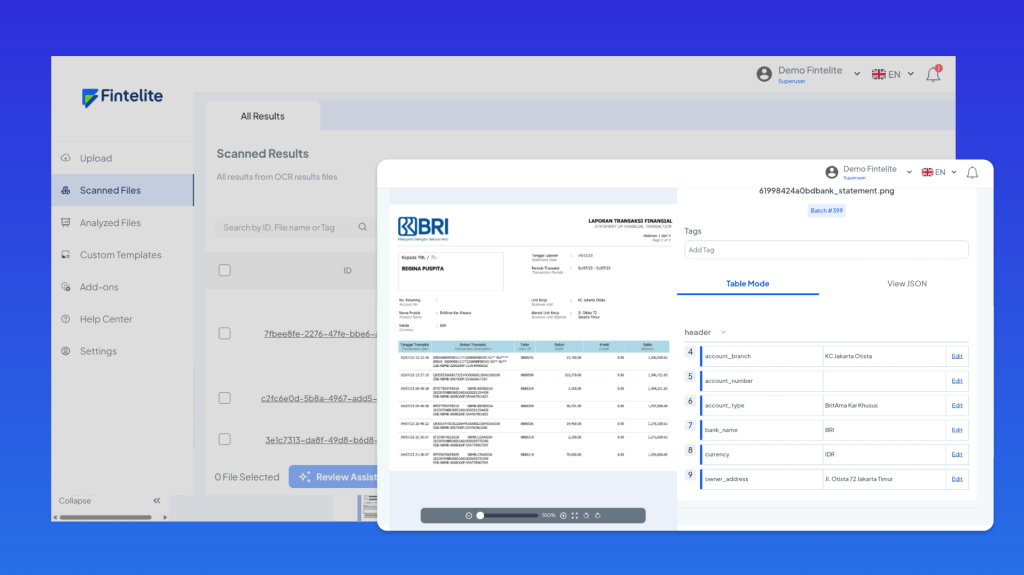
Step 2: Data Extraction
Fintelite’s AI automatically reads the document, detects transaction tables, and extracts every transaction field, such as date, description, and amount.
Step 3: Data Analysis & Categorization
The system normalizes inconsistent transaction descriptions and applies AI-driven analysis to classify each transaction into the appropriate category with high accuracy, even at scale.
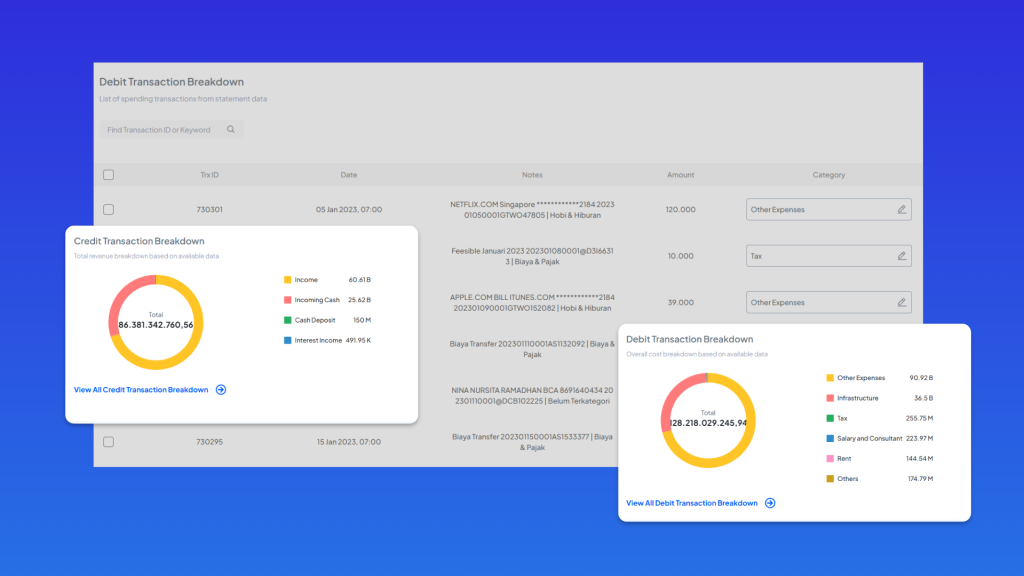
Step 4: Report-Ready Structured Output
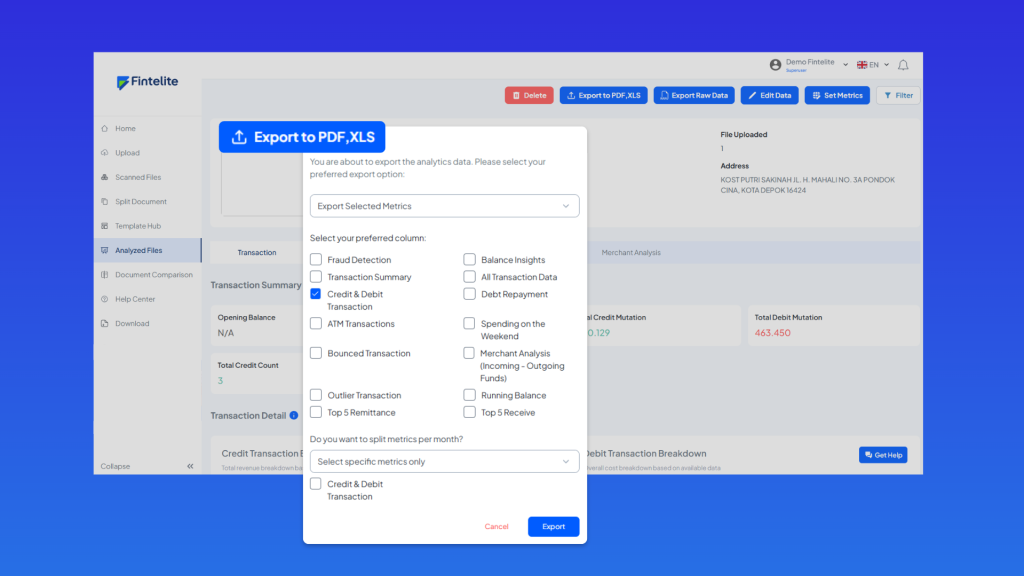
After all processes are complete, categorized transactions are presented in a structured view, ready to export for easier financial reporting, reconciliation, and decision-making.
Ready to Automate Bank Transaction Categorization with Fintelite?
Transform raw transaction data into structured, categorized records in minutes. By automating bank statement analysis, gain faster insights into cash flow patterns and identify high- and low-spending categories. Jadwalkan Demo today to see how it works and discover how it can benefit your business’s specific use case.
