

Do you feel like you and your team spend far too much time gathering data from bank statements? You’re not alone, and you’re closer to finding a better solution. As the volume of bank statements grows, organizations often face two choices, increase each agent’s workload or hire more staff. But that’s no longer the only way.
AI-powered OCR technology now offers a faster and more efficient alternative to extract data from bank statements. It provides a great help by automatically converting information from bank statements into structured data that can be easily processed, analyzed, or integrated into your systems. In this article, we’ll explore what it takes to automate bank statement data extraction. Whether you need it to streamline lending workflows or support faster financial reconciliation, this guide will help you reduce the time required to process bank statement data at scale.
Why It’s Important for Bank Statement Processing
Automating data extraction is the most foundational step in optimizing the entire bank statement processing workflow. The following reasons explain why.
Reduce Manual Bottlenecks
Manual entry does not just consume too much time but often leads to mistakes such as typos, missing values, or inconsistent formatting. By using the right automation tool, data can now be captured consistently and accurately, drastically reducing errors that often leave teams stuck in these tedious tasks for even longer.
Accelerate Data Intake
No more spending hours just to collect data. With the transition to automated data extraction, details from account holders and transaction histories are accurately captured in minutes. This significantly shortens document processing time, allowing teams to move quickly from data collection to the next step that matters.
Efficient for Large-Volume Processing
Automation can process bulk statements without additional manual effort. It is a capability needed for banks, fintech platforms, and accounting teams that regularly manage large volumes of financial documents.
What Data to Extract From Bank Statements
Bank statements summarize account activity over a period. Extracting structured transaction data enables faster financial risk assessment, reconciliation, and cash flow management.
Key data to extract:
- Bank name
- Account holder name
- Account number
- Statement period
- Opening and closing balances
- Transaction date
- Transaction description / reference
- Debit and credit amounts
- Running balance
- Merchant or counterparty
- Fees, charges, or interest
- Currency
Practical Steps to Extract Bank Statement Data Automatically
As we know, bank statements present information in dense tables, and their formats can vary depending on the issuing bank. To automate this process effectively, you need a tool that can understand these kinds of variations and complex document structures, and that’s what Fintelite AI OCR specializes in.
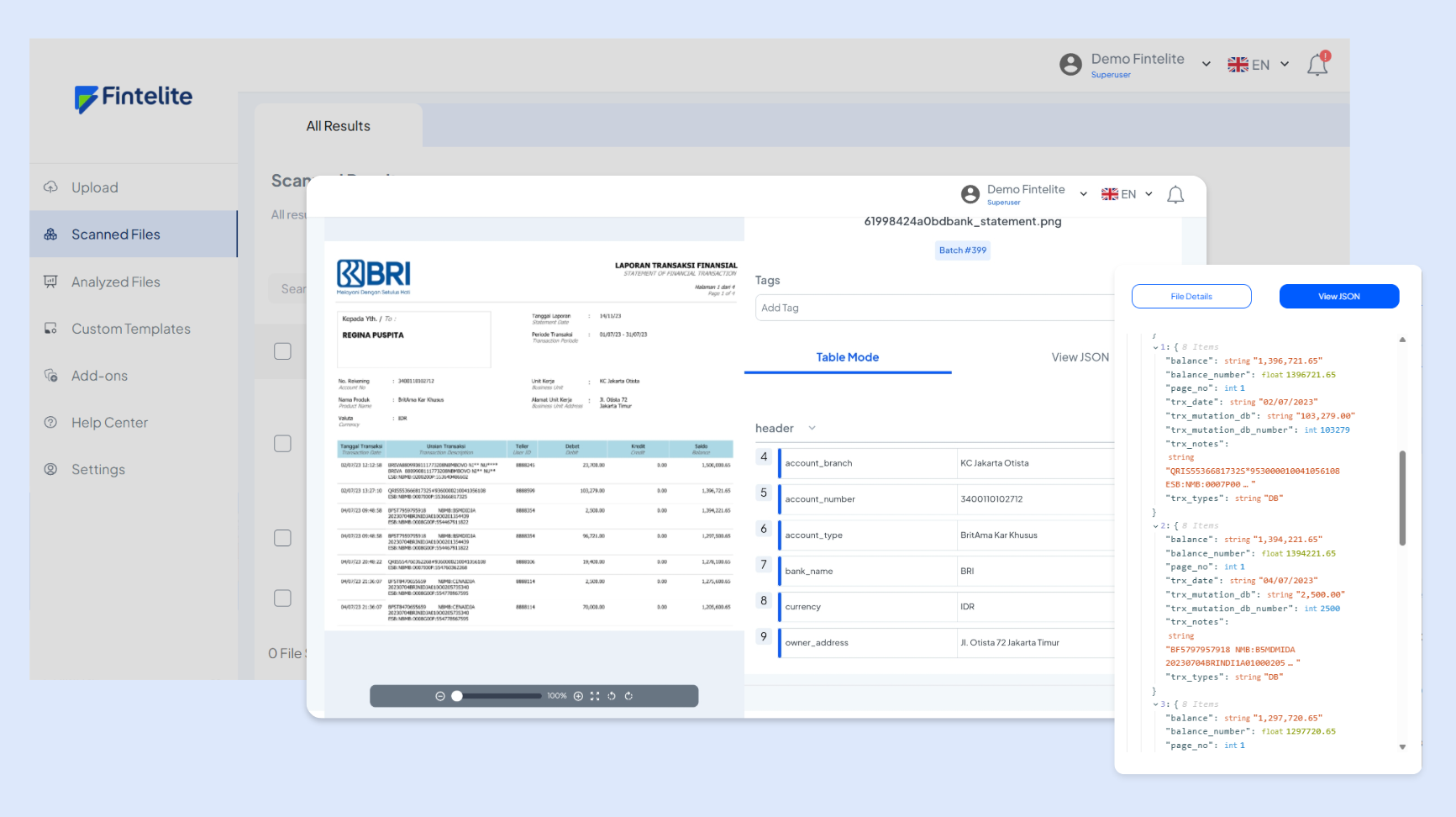
Fintelite AI OCR seamlessly processes various bank statements, outputting cleansed, structured datasets in minutes. With ready-to-use AI agents, there’s no need to write complex extraction rules or train AI models with hundreds of samples. Start automating in a few simple steps as follows.
Step 1: Submit your bank statement
Upload bank statements in any format you have, whether it’s PDFs, scanned files, or images. Fintelite processes them all.
Step 2: AI-powered data extraction
Once the document is received by the system, all data in the document body is identified and captured, from the account holder to key transaction fields such as date, description, debit, credit, and running balance.
Step 3: Review and validation
Data extraction only takes minutes. After that, you can review the extracted data to ensure accuracy before sending it to your systems.
Step 4: Export your result
In the final step, export the structured data in formats like Excel, CSV, or JSON, or integrate it directly into your systems via API.
The Best AI Solution for Bank Statement Data Extraction
With Fintelite AI OCR, you can finally trade those repetitive data entry tasks for seamless, automated data extraction that actually scales with you. It’s the perfect solution for high-volume bank statement processing in lending and financial services where efficiency is everything.
Are you ready to automate data extraction? Book a demo session today to see exactly how Fintelite works for your specific bank statement use case, making your workflow far more streamlined than ever.
