
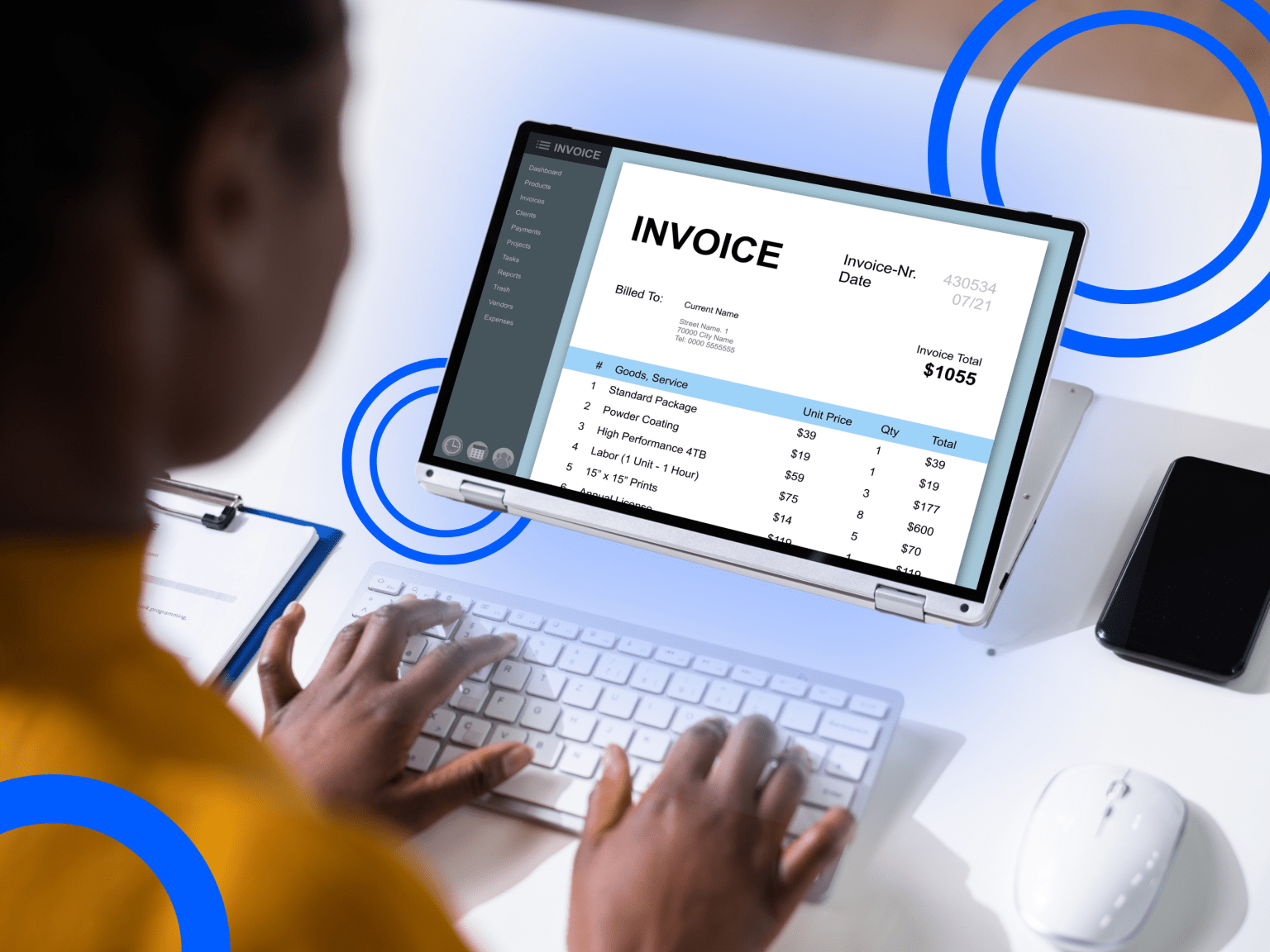

On a daily basis, finance and accounting teams work closely with various transaction documents. These documents are processed for all sorts of purposes, whether it’s simply for record-keeping, accounts payable, or other back-office tasks that matter. However, they all share the same problem: employees must spend a long time manually entering data from incoming documents. That’s precisely where Optical Character Recognition (OCR) can make a huge difference.
In finance tasks with a high document load, OCR becomes a game changer by automating data extraction. All the necessary data from invoices, receipts, and purchase orders can be quickly extracted and ready for teams to process further. It quickens task completion, enabling teams to move faster on core tasks without burdened by repetitive manual work.
In this article, we will discuss the concept of OCR for finance and accounting, covering its role, benefits, use cases, and more. We will also show real examples of Fintelite’s AI-powered OCR in common finance and accounting documents.
Understanding Optical Character Recognition
Essentially, OCR is a technology that enables information in unstructured file formats to be extracted and converted into fully usable data. The files processed can include PDF documents, images, and scans, which data contained is not directly editable. OCR transforms these documents, resulting in structured data that you can easily use as needed. Hence, OCR is one of the main technologies used for streamlining document processing, playing a crucial part in speeding up data capture.
The Role of OCR in Finance & Accounting
Now that you have a clearer view about what OCR is, let’s continue by exploring how it adds value to finance and accounting workflows. At its core, OCR helps automate transaction data entry—a fundamental step where it all begins in financial processes. This technology is important in three main ways:
Improve Data Accuracy
Using OCR means employees are freed from manual data entry and frequent corrections caused by human error. All required data can now be extracted automatically with consistent high accuracy across documents.
Accelerate Data Intake
OCR speeds up the whole process of data entry. It begins by automatically retrieving structured data from financial documents and seamlessly pushing it downstream into the system finance teams rely on.
Simplify Document-Heavy Tasks
With its cutting-edge functionality, OCR turns document-heavy tasks into more efficient and streamlined processes. Employees become more productive with greater focus on completing other important tasks.
OCR Use Cases in Finance & Accounting
While many departments benefit from automation, finance operations are often the primary areas where businesses first tap into OCR. Here are a few ways OCR is currently transforming core finance and accounting functions:
Accounts Payable
In this process, OCR does the heavy lifting by automating data extraction from all incoming invoice formats from vendors. This includes capturing vendor names, line items, and other data points, allowing teams to quickly access the data they need to finalize payments.
Read also: How OCR Works in Accounts Payable
Expense Management
OCR makes expense data entry as simple as a few clicks. By simply uploading a photo, the system scans receipts to grab purchase data, meaning employees don’t have to fill out tedious forms and managers can approve reimbursements in less time.
Transaction Reconciliation
Book closing is much faster when data from both sources are available in a structured format. OCR automatically extracts data from bank statements and internal ledgers, ensuring accurate records for seamless reconciliation.
OCR Examples in Transaction Documents
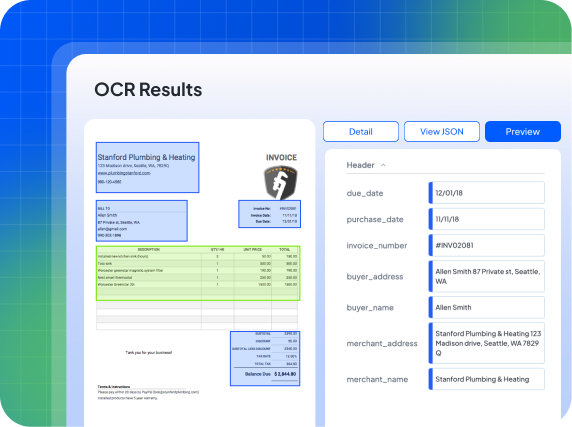
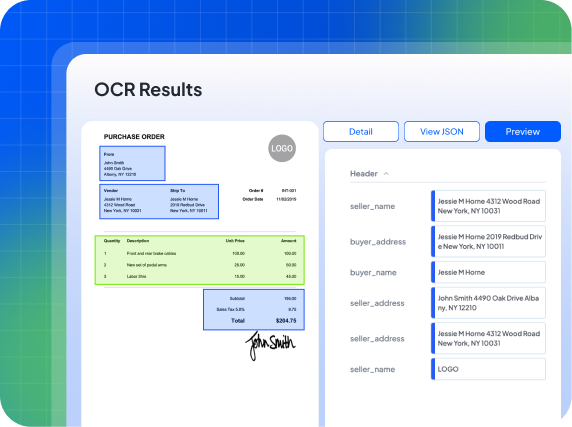
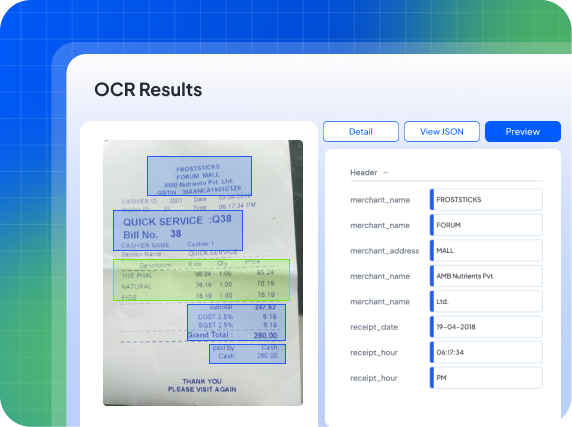
Finance and accounting teams deal with a wide array of documents, such as invoices, purchase orders, and more. Here are the extraction outputs you can expect when using Fintelite AI-powered OCR for various transaction document types:
Invoices
Purchase Orders
Receipts
Want to see how it works on your own files?
FAQs for Its Implementation
Transitioning from manual data entry into automated OCR extraction is a big step toward greater efficiency. We’ve addressed the most critical implementation details in our FAQ below to help your team make the switch with confidence.
Can OCR handle varying document layouts and designs?
Answer: When traditional OCR struggles with unpredictable layouts, AI-powered OCR smartly adapts to any variations. At Fintelite, our intelligent OCR dynamically interprets new document structures without the need for rigid, manual templates. This ensures you receive consistently formatted data regardless of how a vendor’s invoice is designed.
How does it integrate with our existing systems?
Answer: For seamless integration, OCR service is primarily delivered via REST API or SDK, returning the extracted data directly to your ERP, accounting software, or custom internal platforms with minimal friction.
Does it require technical skills to use OCR?
Answer: Not at all. Fintelite AI OCR is easily accessible through an intuitive, no-code dashboard where you can upload documents and quickly receive extracted data in your preferred format with just a few clicks.
