
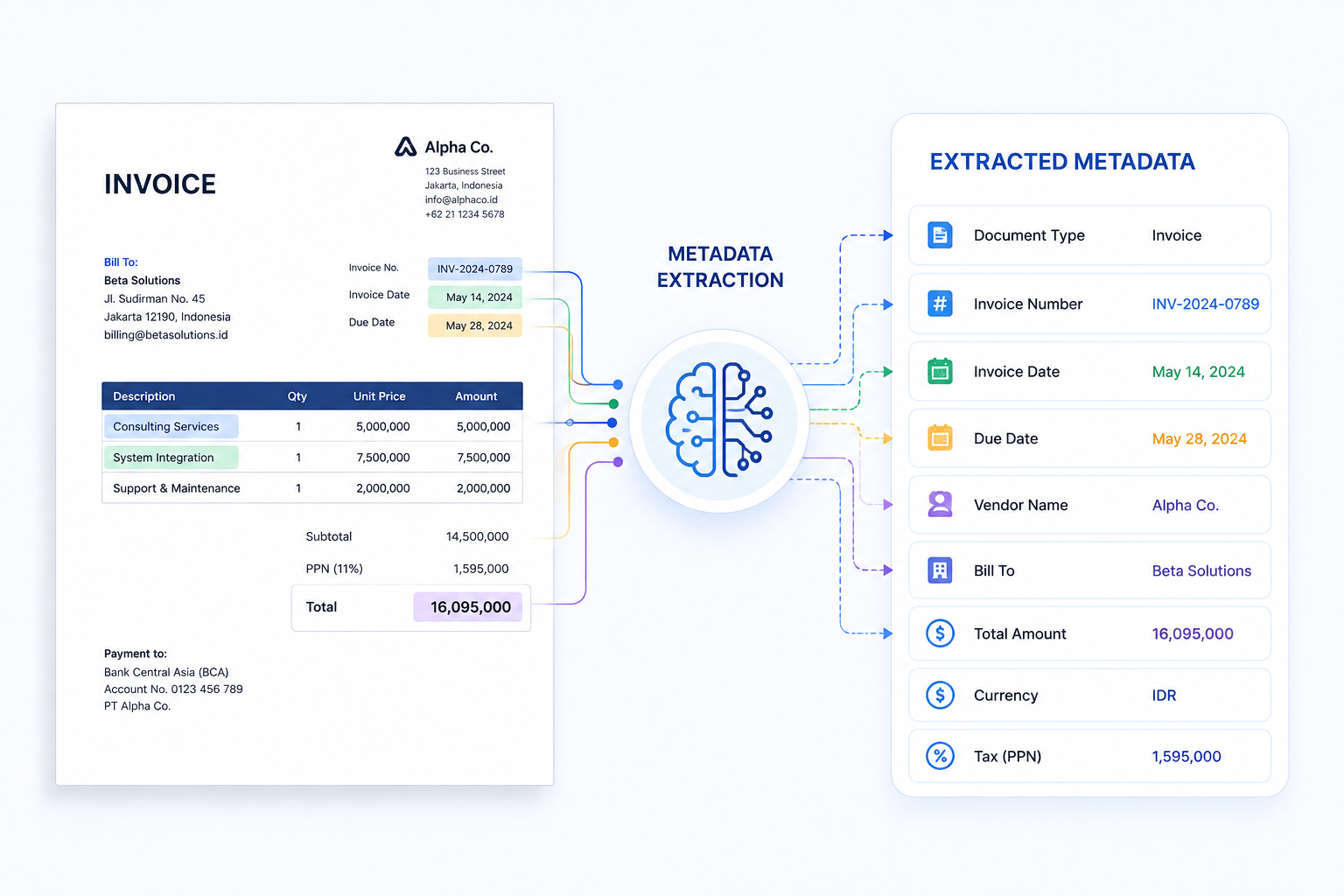
Metadata extraction is the process of identifying and retrieving descriptive information from a digital file, covering creation date, last modified date, authoring software, and file properties. That makes it different from content extraction, which captures the data inside the document itself, like amounts or contract terms.
Applied to financial or legal documents, metadata gives a useful signal for spotting tampering by revealing whether a file was edited after issuance or backdated.
What is Metadata Extraction?
Every digital file carries two layers of information. The first is its content, the text, numbers, or terms someone can read. The second is metadata, the properties attached to the file itself, generated automatically by the software or device used to create it. Metadata extraction focuses on this second layer.
Metadata falls into three types that describe different aspects of a file’s identity and history:
| Metadata Type | Definition | Components | Red Flag If |
| Descriptive | Identifies what the file is | Title, author, subject | Author name doesn’t match the issuing party |
| Structural | Shows how the file is built | Page count, section order, embedded objects | Page count differs from the original template |
| Administrative | Tracks the file’s history | Creation date, last modified date, authoring software | Modified date comes after the document’s issue date, or software doesn’t match the issuer’s tools |
What Metadata Extraction Actually Looks Like
Metadata extraction works the same way across document types. Here’s what it returns when run on a typical business file.
| Field | Extracted Value |
| Creation Date | 2026-03-14 09:12:03 |
| Last Modified Date | 2026-06-02 17:40:55 |
| Authoring Software | Adobe Acrobat Pro |
| Author | statements@bank.co.id |
| Page Count | 3 |
From that example, we can see this bank statement’s stated period-end date is March 14, but the modification timestamp shows the file was edited more than two months later. That gap, combined with authoring software that doesn’t match the bank’s usual system, is the kind of inconsistency metadata extraction is built to catch, especially when a statement is submitted as proof of financial standing.
Once extracted, this metadata is typically output as JSON or CSV, structured formats that integrate easily with existing workflows and systems.
JSON:
| { “creation_date”: “2026-03-14T09:12:03Z”, “modified_date”: “2026-06-02T17:40:55Z”, “authoring_software”: “Adobe Acrobat Pro”, “author”: “statements@bank.co.id”, “page_count”: 3} |
CSV:
| creation_date,modified_date,authoring_software,author,page_count2026-03-14T09:12:03Z,2026-06-02T17:40:55Z,Adobe Acrobat Pro,statements@bank.co.id,3 |
How Metadata Extraction Works
Across document types, metadata extraction follows a structured process. It generally starts with ingesting the file and ends with validated metadata ready for export, as we break down here:
1. Ingest the file
The document enters the extraction system, either as a single upload or as part of a bulk batch processed automatically.
2. Parse the file structure
The system reads through the document to locate where metadata is stored, such as file headers, document properties panels, or embedded tags.
3. Extract and normalize the fields
Once located, the metadata is pulled out and converted into a consistent structured format, such as JSON or CSV.
4. Validate the output
Extracted metadata is checked against a set of rules. Flagged inconsistencies, such as a modification date that falls after a document’s stated issue date, are routed for review.
5. Export or Integrate
After approval, the metadata is packaged and ready to export into downstream systems, such as an ERP platform, a compliance workflow, or a document management tool.
Metadata Extraction Methods Compared
There are several methods you can use to extract metadata from any file automatically. Some files keep their metadata clean and easy to read. Others don’t, which is where a different method comes in. Here’s how each one works.
Direct Property Reading
Reads metadata straight from the file’s built-in structure, such as a PDF’s document properties or an image’s file attributes, using parsing libraries or scripts.
- Pros: Straightforward, low cost
- Cons: Fails if metadata is missing or stripped
Intelligent Document Processing
Document AI that actually reads and understands your documents, scanned or digital, automatically retrieves metadata even when it isn’t stored as a clean file property, then delivers them as clean, structured data ready to plug into your systems.
- Pros: Fast, accurate, API-ready, scalable at any volume
- Cons: Setup effort if built in-house, upfront cost if using a ready-to-use solution
Real-World Uses & Benefits
Metadata extraction is not just a background process. In practice, metadata extraction works as a verification layer in document processing, catching what content alone wouldn’t reveal. Here’s how it’s used across industries, and why it matters.
Loan and credit applications
As part of risk assessment, metadata from bank statements and payslips is checked for signs of tampering. A common red flag is a modification date that comes after the file was supposedly issued.
Insurance claims
Claims teams run metadata checks on receipts, medical records, and repair estimates. A document modified after a claim was filed is often a sign of a staged or exaggerated claim. Flagging it early keeps exposure low without slowing down legitimate claims.
Legal and compliance review
Legal teams rely on metadata to establish a document’s edit history and authorship. This becomes critical during due diligence, audits, or investigations.
FAQs About Metadata Extraction
What is metadata extraction?
Metadata extraction is the process of retrieving data that describes a file, such as its creation date, last modified date, and authoring software, rather than the content inside it.
Can metadata be manipulated or faked?
Yes. Metadata can be edited using common software, so it shouldn’t be treated as automatic proof of authenticity. It also shouldn’t be relied on as the only layer of fraud detection, comparing it against expected values and other checks gives a more reliable result.
Does metadata extraction work the same way on scanned documents as it does on digital files?
Not exactly. Digital-native files usually store clean metadata properties, while scanned documents often don’t. Document AI closes that gap by reading scanned files at the page level to recover metadata that isn’t stored as a property.
What is the best way to automate metadata extraction across large volumes of documents?
IDP solutions like Fintelite are generally the most scalable approach, since it can process thousands of documents automatically regardless of file type or format, then export the results in a structured output like JSON. This removes the need to check files one by one as volume grows.