

Zonal OCR is a document processing automation that extracts text from predefined areas of a document. Unlike full-page OCR, which captures all available text and allows you to process complete documents, zonal OCR lets you define exactly which fields to read before any processing begins. By focusing only on specific data points, it improves speed and accuracy for repetitive workflows. This is why this approach is commonly used to automate the extraction of fixed information from standardized operational documents such as identity documents, customer forms, and invoices from a single ERP template.
Zonal OCR vs Full-Page OCR
The difference between zonal OCR and full-page OCR is more than the amount of text they extract. Each approach is designed for different document types and business workflows.
| Feature | Zonal OCR | Full-Page OCR |
|---|---|---|
| What it reads | Only predefined fields or zones | The entire document |
| Best for | Standardized documents like forms and ID cards | Documents with varying layouts, contracts, and reports |
| Speed | Faster by focusing only on the required fields | Take more time since every page is analyzed |
| Accuracy | High when field positions remain consistent | Depends on document quality and layout complexity |
| Setup | Requires predefined zones before processing | Little to no setup for different document layouts |
| Best for | Best for fixed-layout documents | Better for structured, semi-structured, and unstructured documents |
| Output | Returns only the data needed for downstream workflows | Captures the complete document text for search, analysis, or further processing |
Best Document Types to Process With Zone-Based OCR
Zonal OCR performs best on fixed-layout, structured documents where key information always appears in the same location. Since extraction is based on predefined zones, consistent layouts help ensure faster processing and more accurate results with minimal manual review.
Some of the most common document types businesses automate using zonal OCR include:
Identity Documents
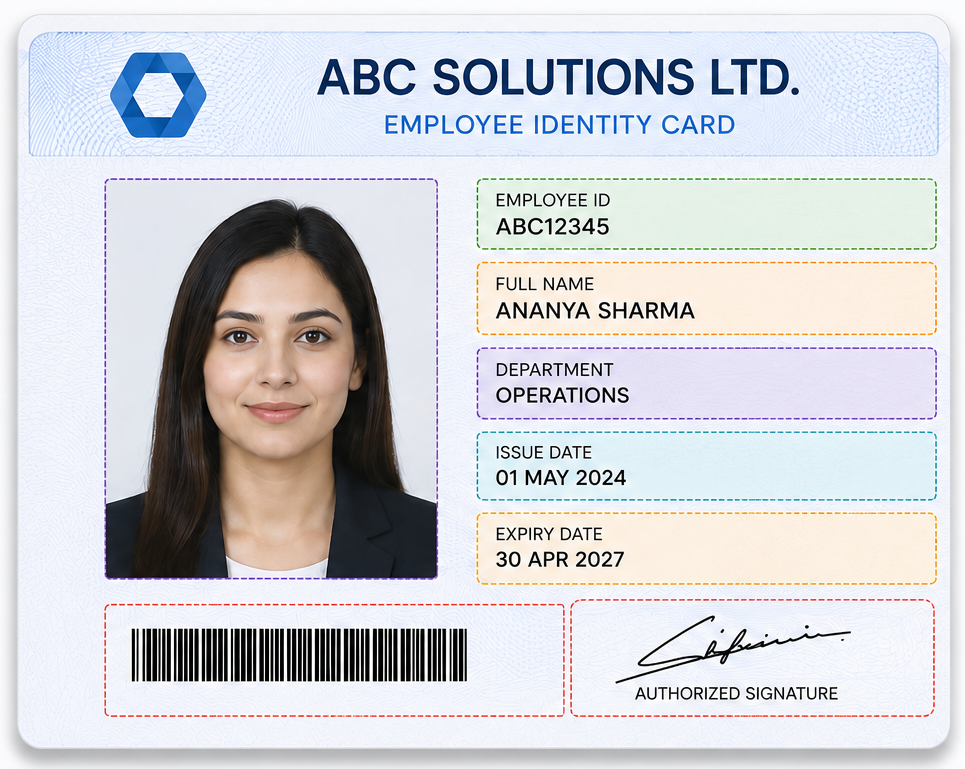
Data that can be extracted: Name, ID number, date of birth, nationality, expiration date, and issuing authority.
Tax Forms
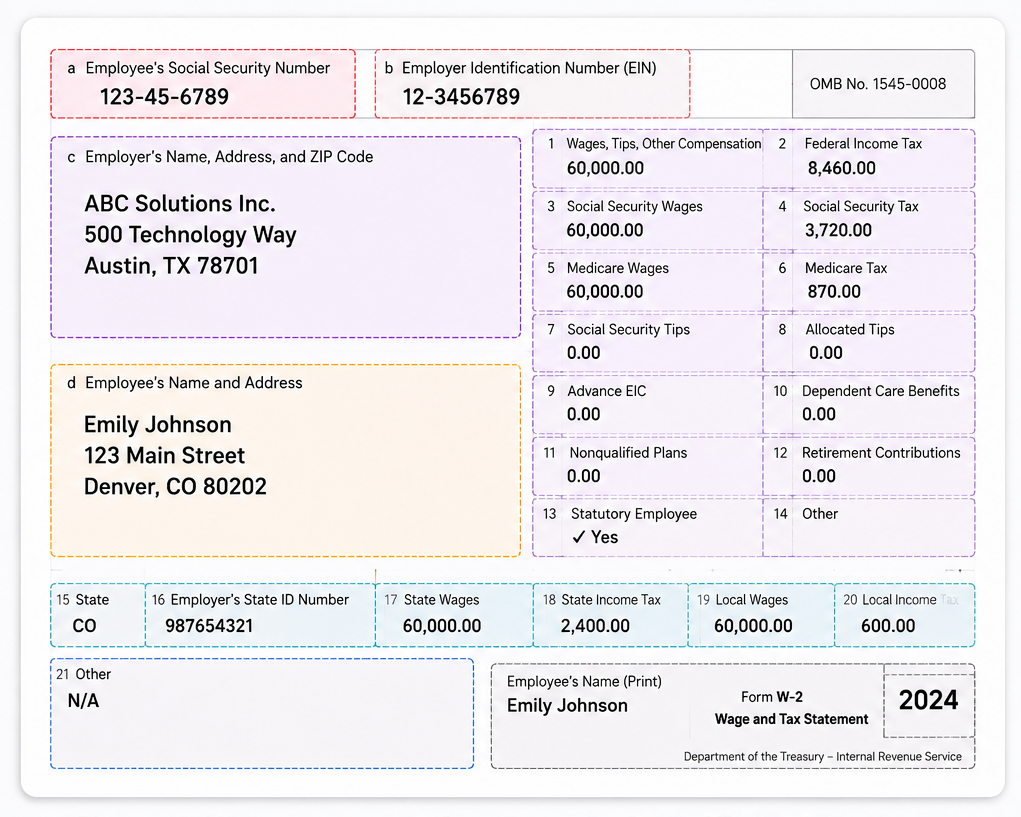
Data that can be extracted: Taxpayer ID, filing period, taxable income, tax amount, and filing date.
Application Forms
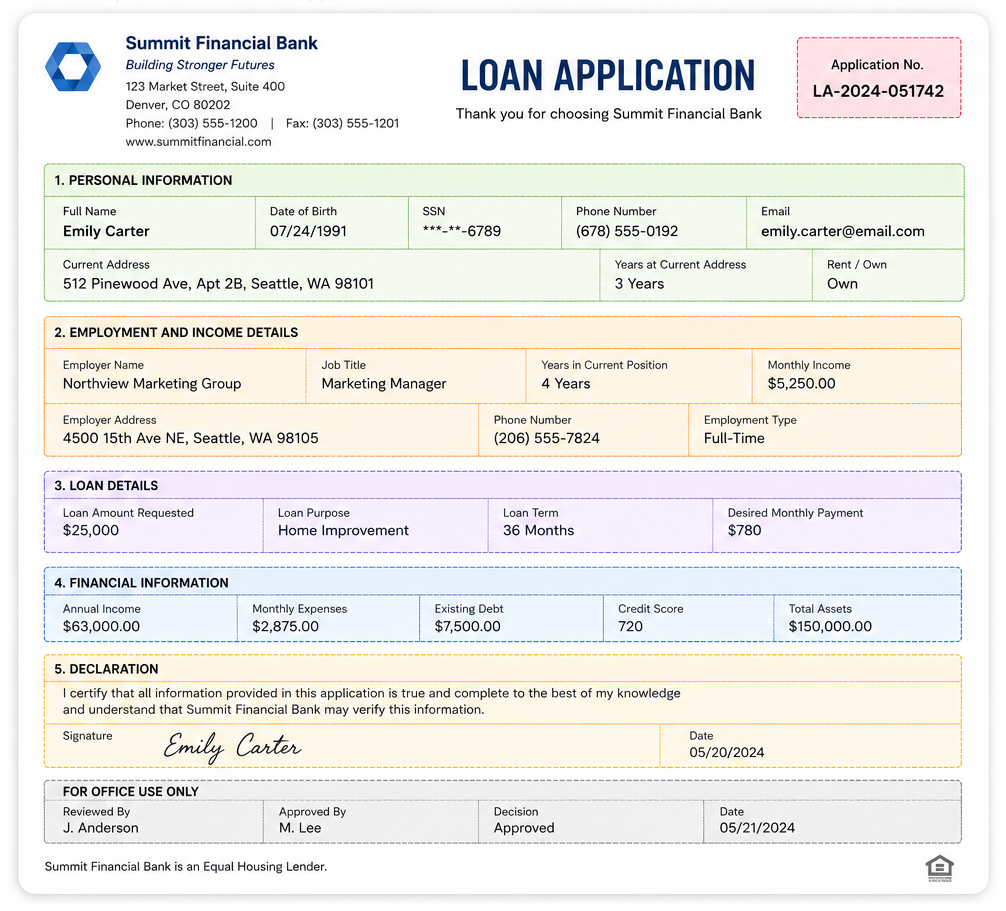
Data that can be extracted: Applicant name, address, phone number, email, signature, and submission date.
Payroll Slips
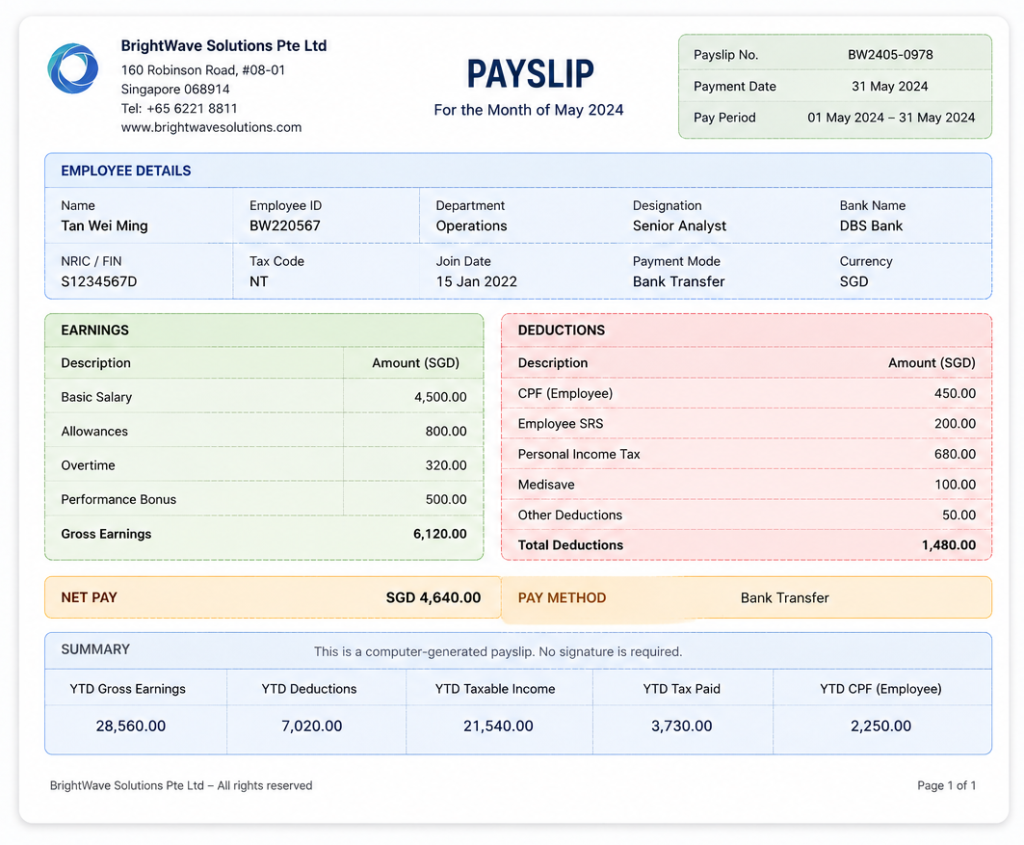
Data that can be extracted: Employee ID, pay period, gross pay, deductions, net pay, and payment date.
Standardized Invoices
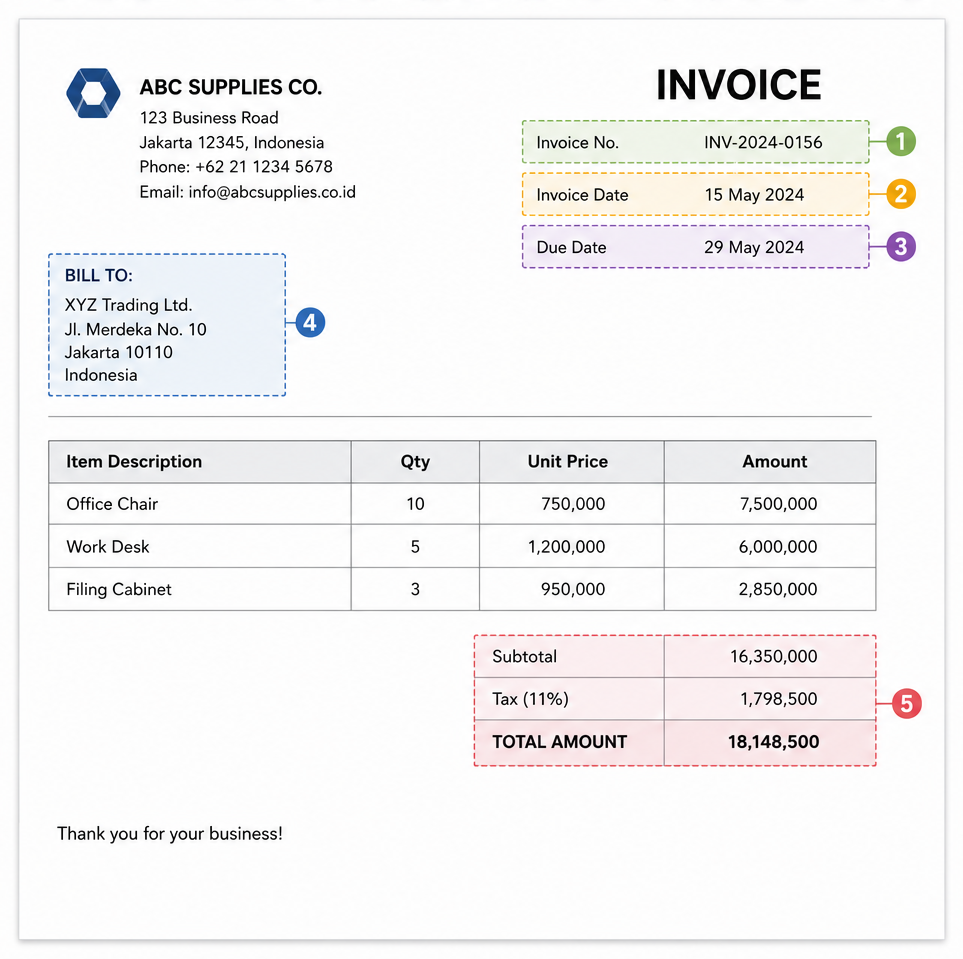
Data that can be extracted: Invoice number, invoice date, purchase order number, tax, and total amount.
How Data Extraction Works Using Zonal OCR
Zonal OCR follows a simple workflow. Instead of scanning the entire document, it extracts text only from the predefined areas you configure.
1. Define Extraction Zones
Before processing begins, identify the fields you want to capture and draw extraction zones around them. For example, you might define zones for an invoice number, total amount, or ID number.
2. Upload the Document
When a document is uploaded, the OCR engine first detects and aligns the page to ensure the predefined zones match the correct locations.
3. Extract Text from Each Zone
The OCR engine reads only the selected zones and converts the detected text into machine-readable data. Everything outside these areas is ignored.
4. Validate the Results
The extracted values can be checked against validation rules, such as date formats, number formats, required fields, or confidence scores. Documents with missing or low-confidence data can be routed for manual review.
5. Export Structured Data
Once validated, the extracted data is exported in a structured format, such as JSON, CSV, or XML, or sent directly to downstream systems through an API.
Benefits of Zonal OCR
When applied to the right document types, zonal OCR offers a simple and efficient way to automate repetitive data extraction.
- Faster Processing: Reads only predefined fields instead of the entire document, reducing processing time.
- High Accuracy for Fixed Layouts: Delivers consistent results when document formats remain unchanged.
- Reduces Manual Data Entry: Eliminates repetitive typing for frequently processed documents.
- Lower Processing Costs: Extracts only the required information, making document processing more efficient.
- Easy System Integration: Exports structured data to ERP, CRM, accounting systems, or other business applications.
- Scales High-Volume Workflows: Processes large batches of standardized documents with consistent performance.
Limitations of Zonal OCR
While zonal OCR is highly effective for fixed-layout documents, it becomes less reliable as document layouts become more dynamic.
- Requires Predefined Zones: Extraction areas must be configured before processing.
- Sensitive to Layout Changes: Even small shifts in field positions may require updating the extraction zones.
- Not Ideal for Mixed Templates: Processing documents from multiple suppliers or sources often requires separate templates.
- Limited Flexibility: Cannot automatically locate the same field if it appears in different positions across documents.
- May Require Manual Review: Low-quality scans, skewed images, or missing fields can still require human validation.
A Smarter Alternative to Zonal OCR
Zonal OCR is ideal for standardized documents, but it becomes harder to manage as document layouts increase in variety. Every new template may require new extraction zones, adding time and maintenance to your workflow.
AI technology and machine learning solve this challenge by locating data based on document context rather than fixed coordinates. This allows the same workflow to process documents from multiple formats with minimal configuration.
Fintelite provides the AI-powered OCR automation you need to accurately extract the right data fields from any document, any layout. Built with intelligent data recognition, it eliminates the need to manually map fields for every new template. Simply upload your documents, and all the data you need will automatically extracted in seconds, no matter how the document is designed
Looking to automate data extraction from varying document templates? See how Fintelite AI-powered OCR makes it easier. Contact our team
Frequently Asked Questions
Can zonal OCR extract tables or line items?
Yes. Zonal OCR can extract data from tables or line items when they appear in fixed, predefined positions. However, documents with dynamic tables, varying line items, or changing layouts are generally better suited for Intelligent Document Processing (IDP), which understands document structure and relationships between data rather than relying on predefined zones.
Where is zonal OCR most commonly used in business?
Typical use cases include employee onboarding, identity verification, payroll processing, tax filing, shipping and logistics, utility bill processing, and invoice processing using standardized templates.
What is a smarter alternative to zonal OCR?
A smarter alternative is Intelligent Document Processing like Fintelite. Compared to zonal OCR, Fintelite’s IDP uses AI to identify fields based on document context. This allows it to process documents with varying layouts while reducing template maintenance.
How does AI-powered OCR outperform zonal OCR?
While zonal OCR only extracts data from predefined areas, AI-powered OCR like Fintelite identifies fields based on document context. This allows it to extract the same information from documents with different layouts without creating or maintaining separate templates, making it better suited evolving document workflows in business operations.